Configuring GCS Bucket
If you do not already have a GCS bucket, create one by following the guide.
Then login to Google storage page, once you select your bucket, a column will show up in the left of this page, then click ADD PRINCIPLE as below.
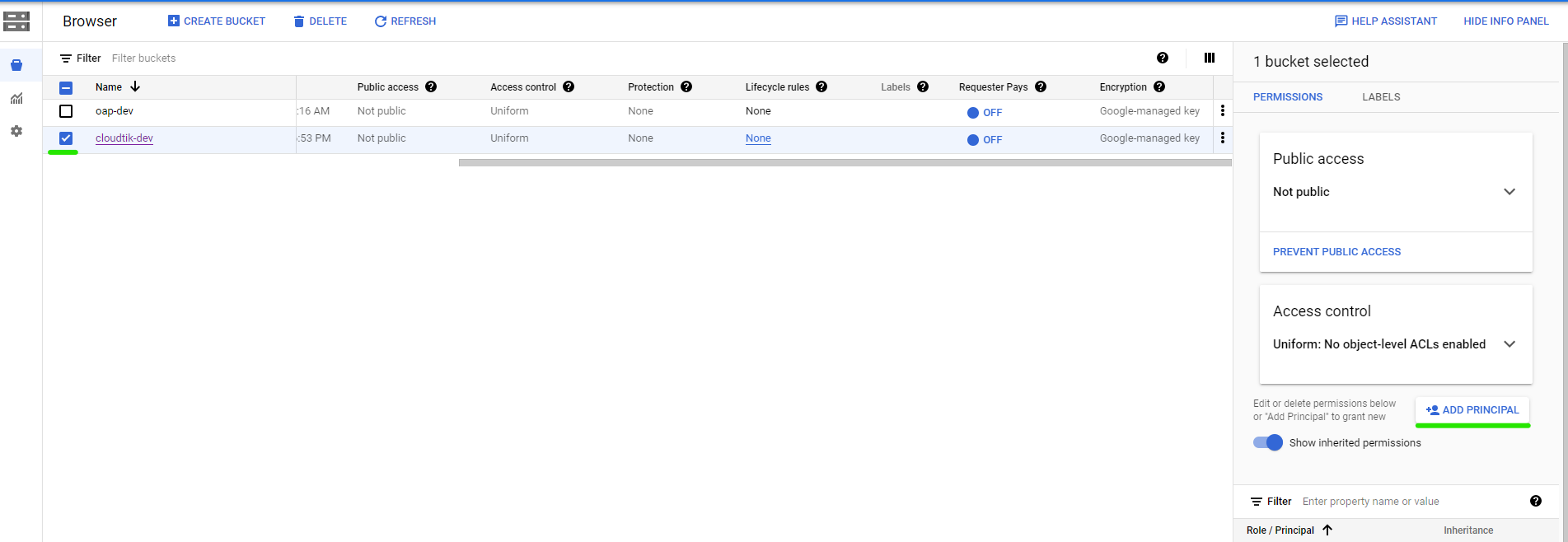 gcs-bucket
Fill out the first item with your service account email and select a role: Storage Admin.
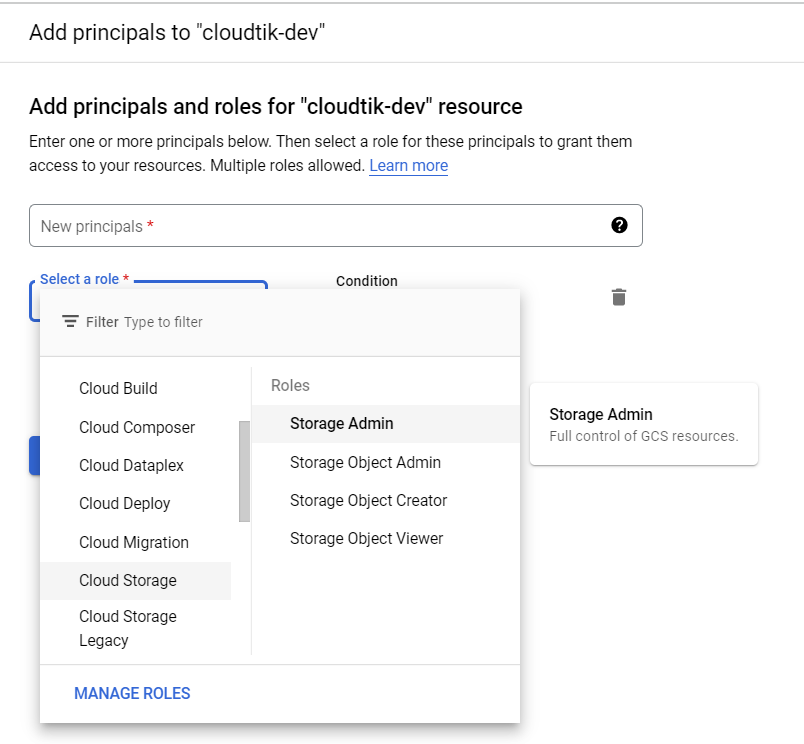 gcs-bucket-principle